
Weekly employee scheduling
Plan the whole week in one workforce scheduling view.
See employees, shifts, dates, coverage, and schedule actions together. Managers can review the week, make targeted changes, and publish when the schedule is ready.
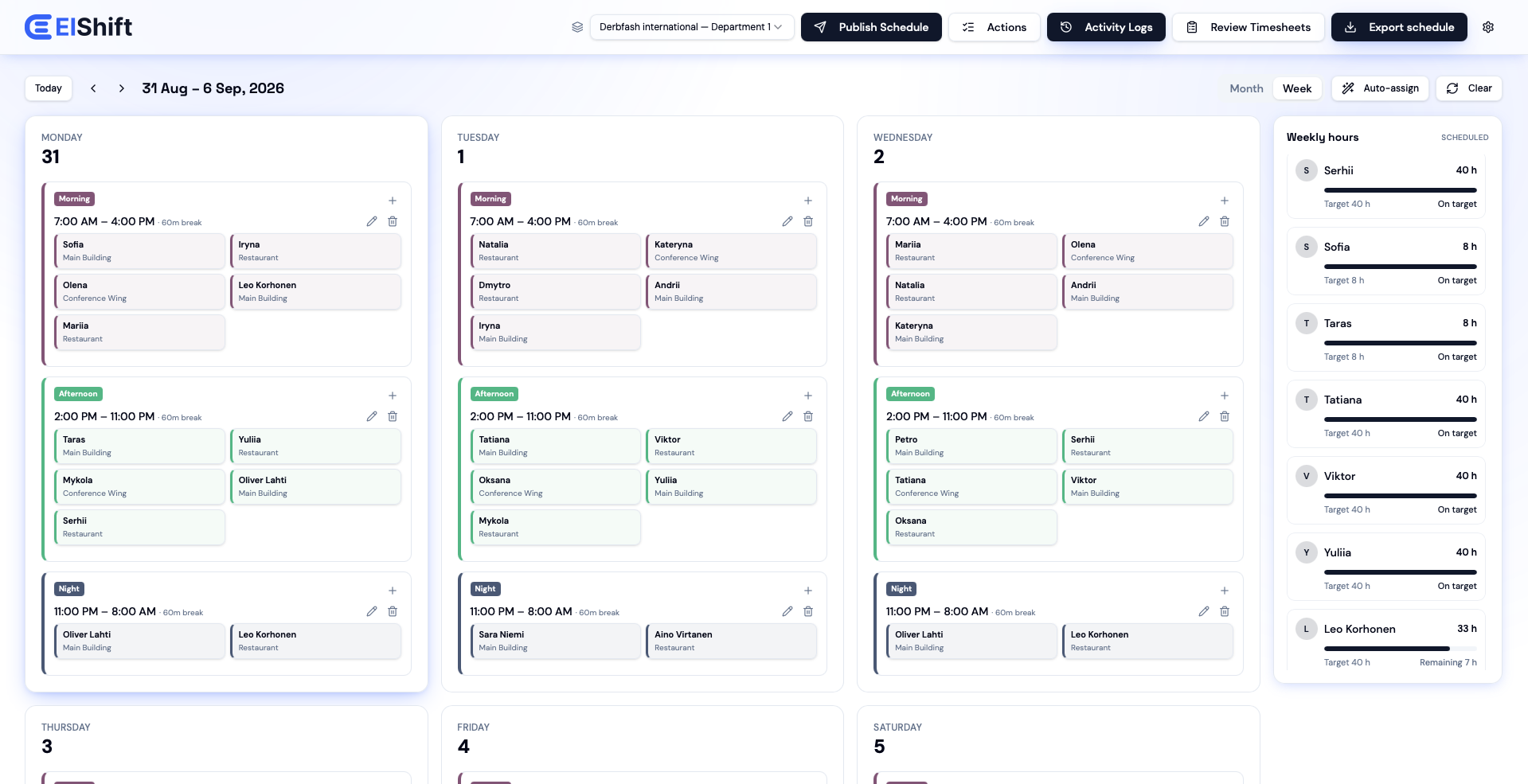
Set the shifts and staffing each day needs. Auto Assign uses the leave, work patterns, hours, preferences, locations and rules already in ElShift to place suitable people. You review the result and decide when to publish; any unfilled shift stays visible.
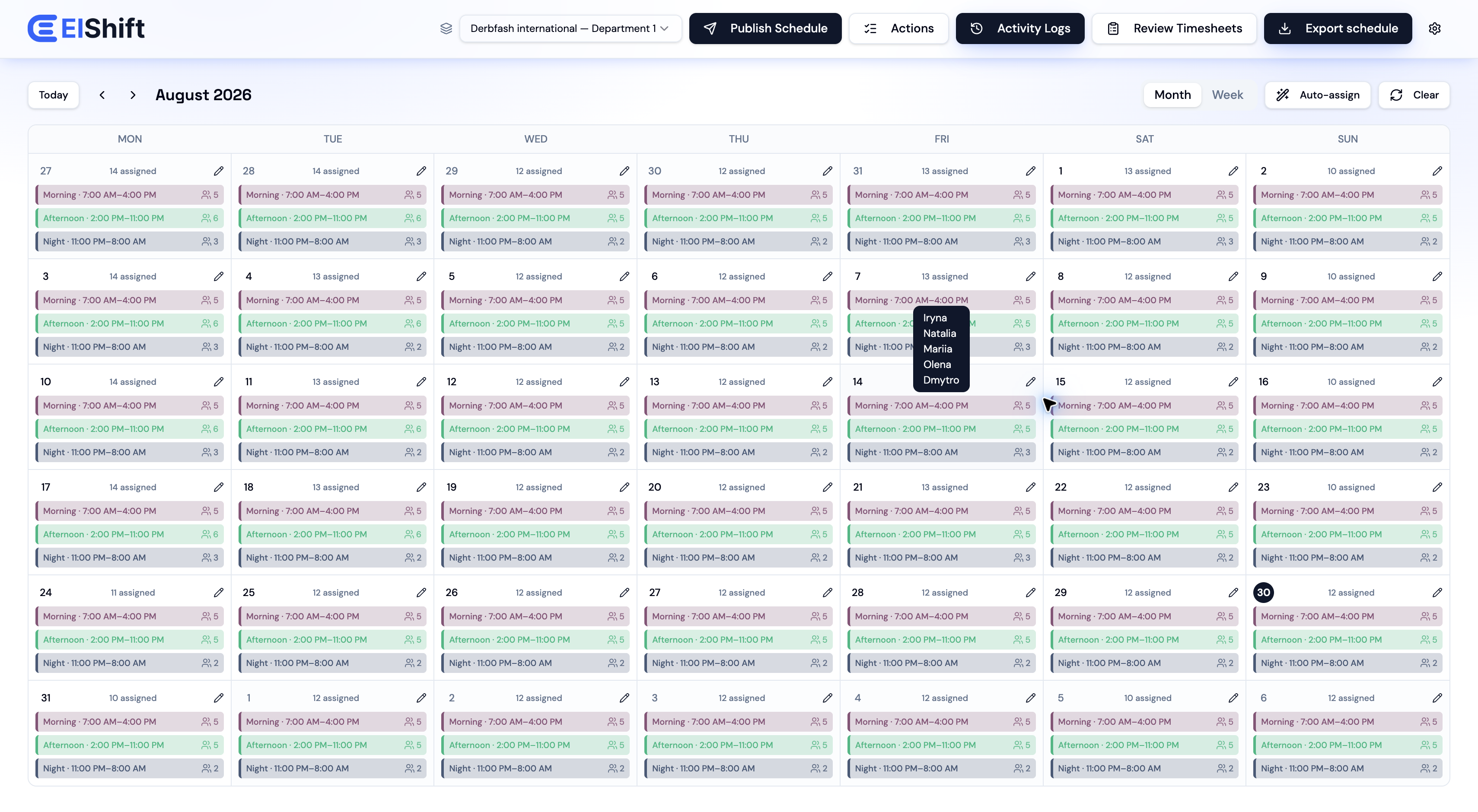
Build and review schedules in ElShift. Employees see their published work and handle supported day-to-day tasks in Employee Hub.
See employees, shifts, dates, coverage, and schedule actions together. Managers can review the week, make targeted changes, and publish when the schedule is ready.
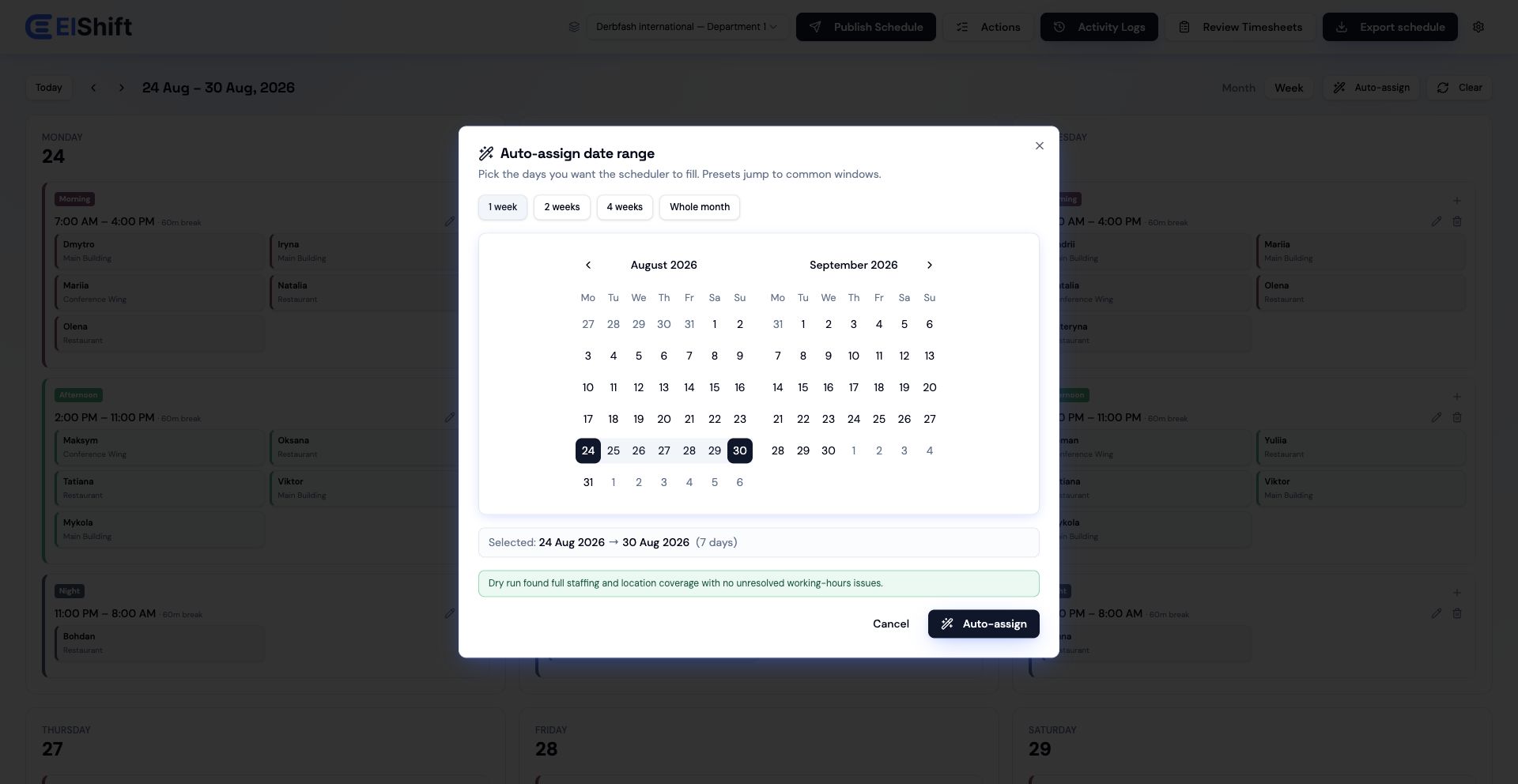
Choose a date range. ElShift considers the information your team already uses—leave, work patterns, weekly hours, preferences, locations and staffing needs—then fills the assignments it can. Review any remaining gaps before publishing.
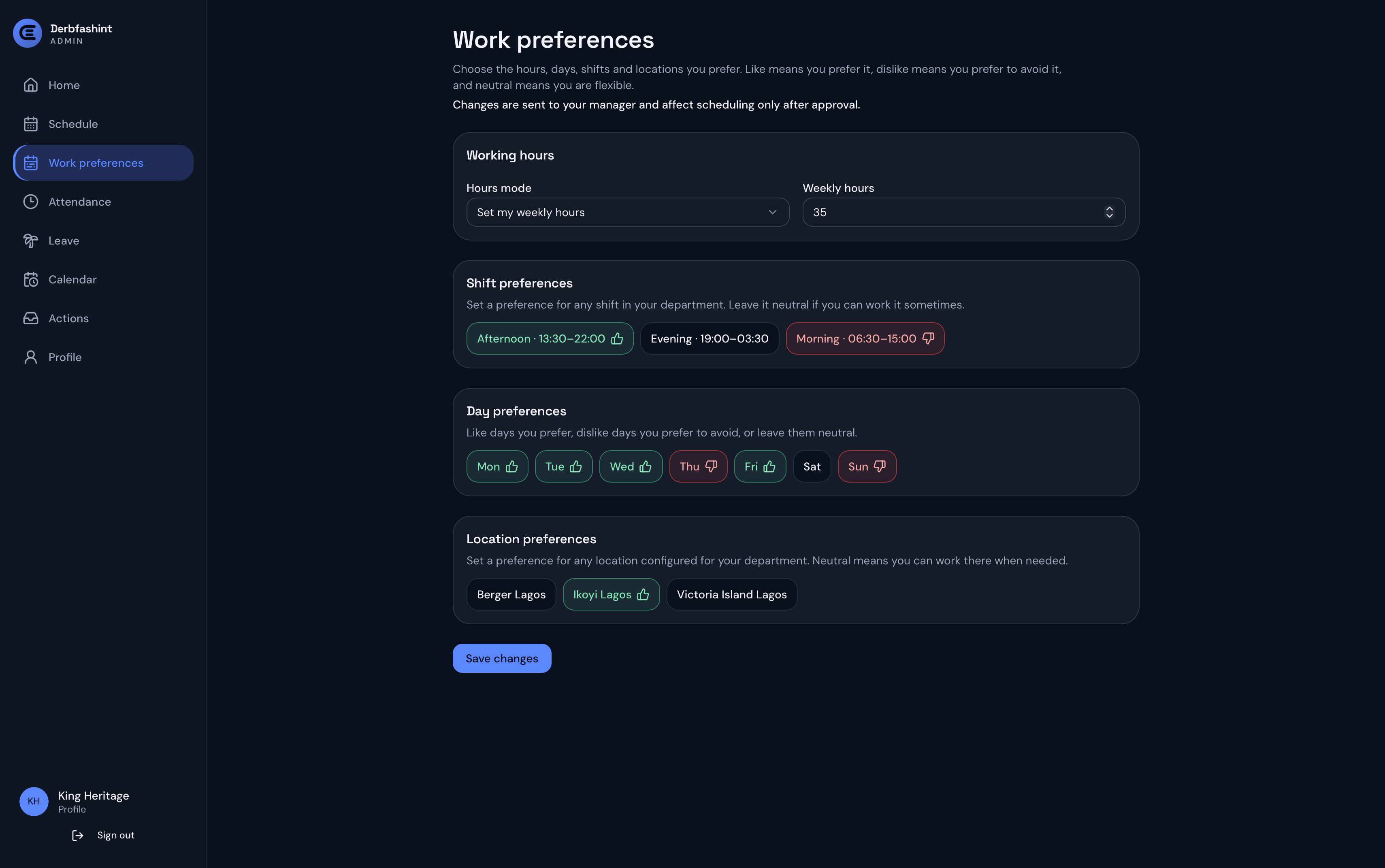
Employees can manage weekly hours plus shift, day, and location preferences in Employee Hub, with changes sent to the manager for approval before they affect scheduling.
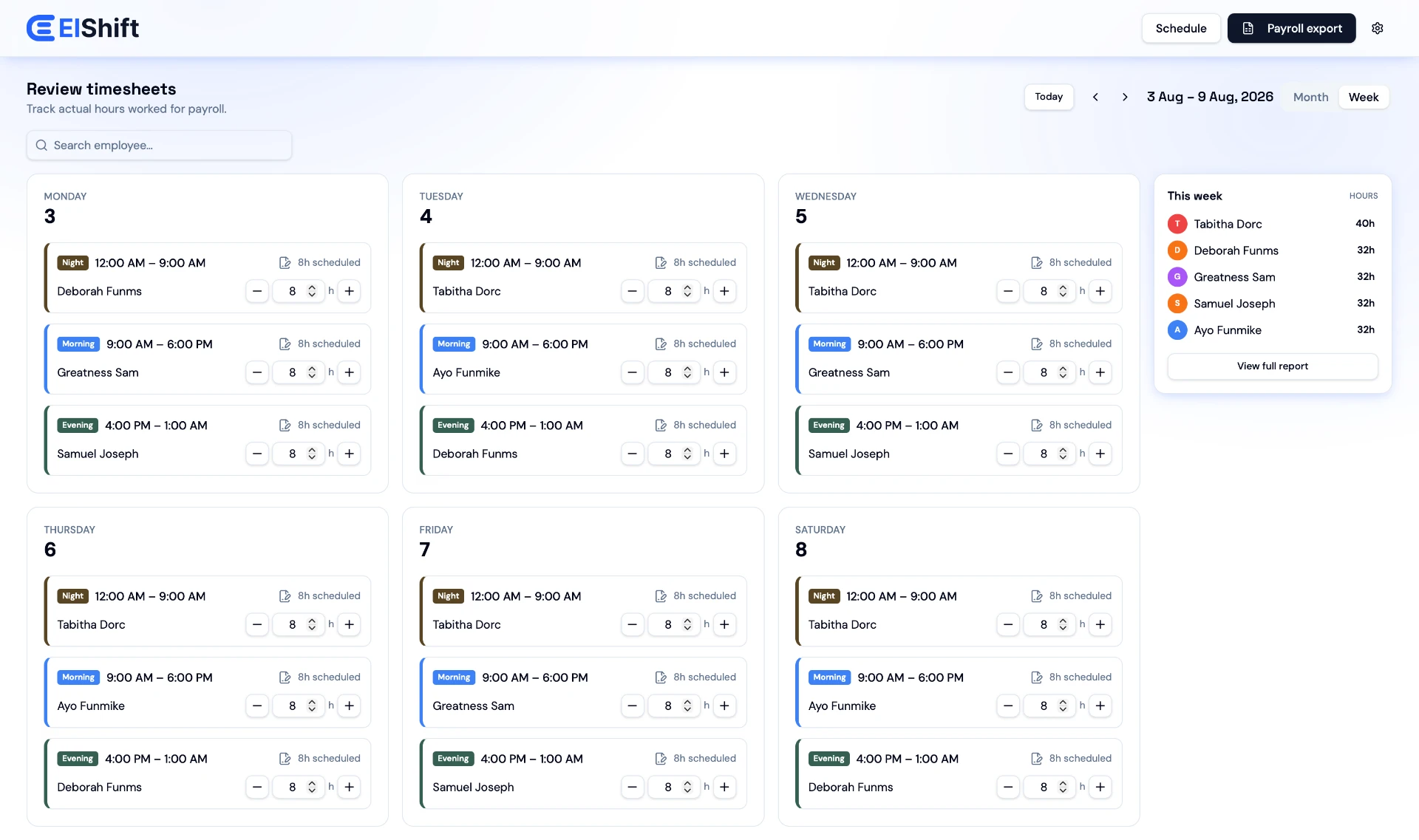
Compare scheduled shifts with recorded attendance, review and correct hours, then export the records for your next step. ElShift does not process payroll.
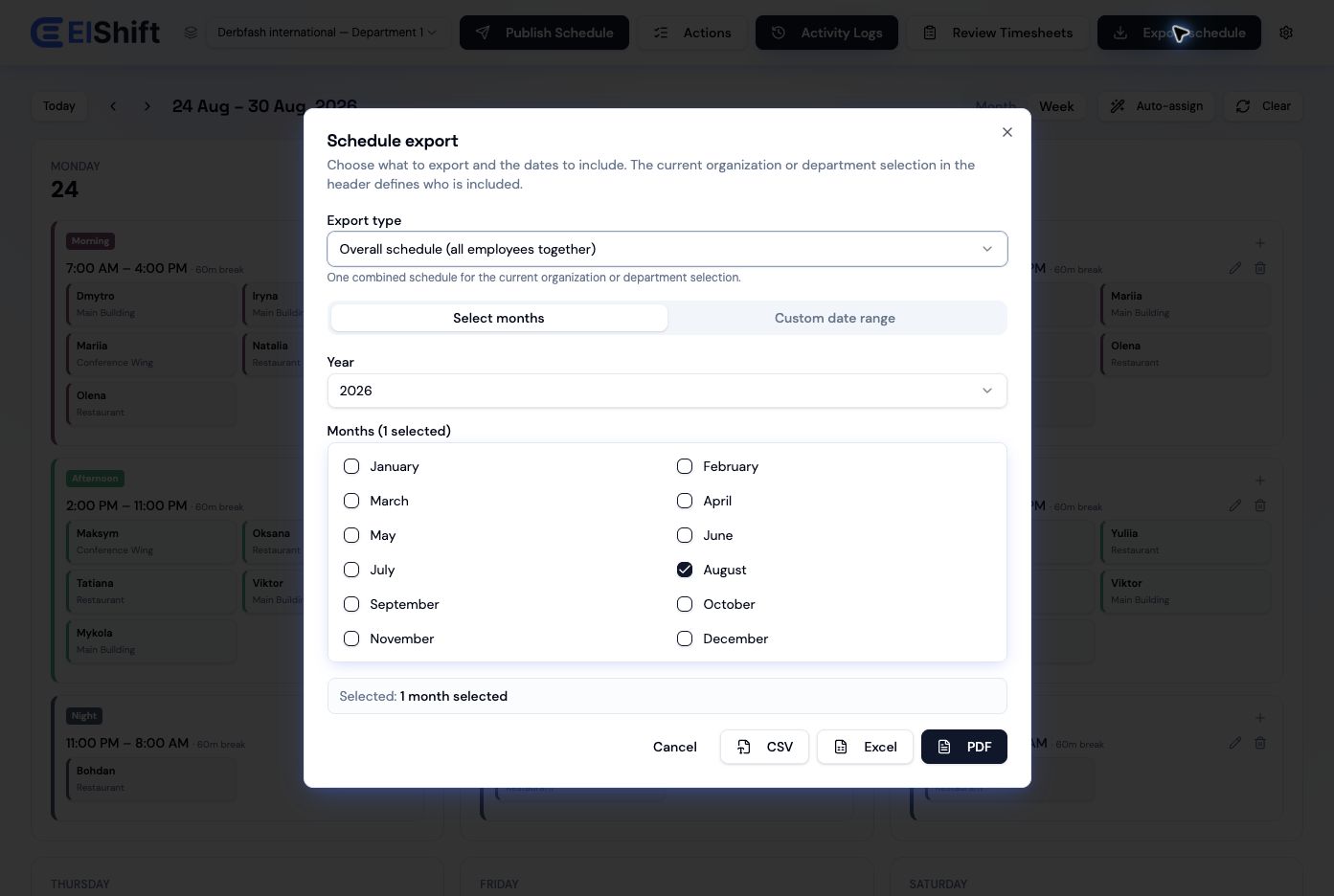
Export the overall schedule for the period you need, with additional all-employee and individual employee export options on eligible plans.
Set up the shifts and rules that matter; Auto Assign handles repeat assignment work. Managers still review, adjust and publish the schedule.
Set the people needed for each shift. Where Locations are enabled, you can also set minimum staffing for specific sites or work areas.
If no suitable employee can cover a required shift within the rules you set, ElShift leaves the gap visible for a manager to review.
On Business and Enterprise, Employee Hub gives employees a separate place for published shifts, work preferences, leave, attendance, requests, calendar and timesheets.
Employees can view published shifts, time off, swaps, and timesheets together, with month and year views for looking ahead.
See Employee Hub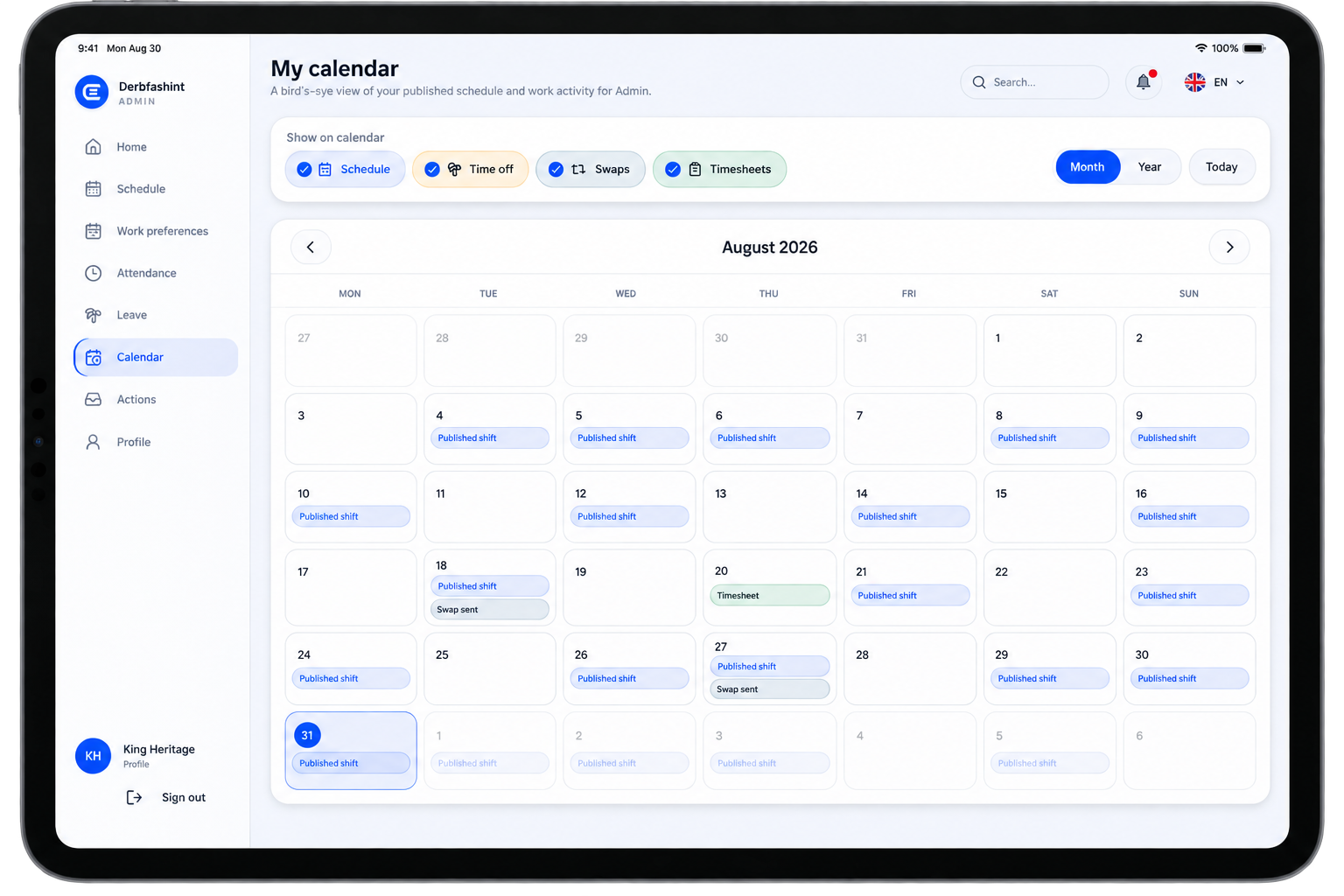
Starter is €30/month, Professional is €75/month, and Business is €125/month. Choose the plan that fits your team now and move up when the operation needs more.
For teams that need a shared schedule, Auto Assign and room to plan around employee hours and repeating work patterns.
For teams coordinating multiple locations and sharing management work.
For organizations that plan by department and want employees to use the Employee Hub.
Contact ElShift to discuss organization size and deployment requirements beyond the self-service limits.
Tell us about your team, the shifts you need to cover, your locations, and the rules that matter. We’ll show you how ElShift could fit.